Shipping labels that print themselves.
Sendora for iPhone and Mac keeps your Etsy, Shopify and Amazon orders in one place, prints every new label the moment you buy it, and sends tracking back to each store. Free on the App Store.
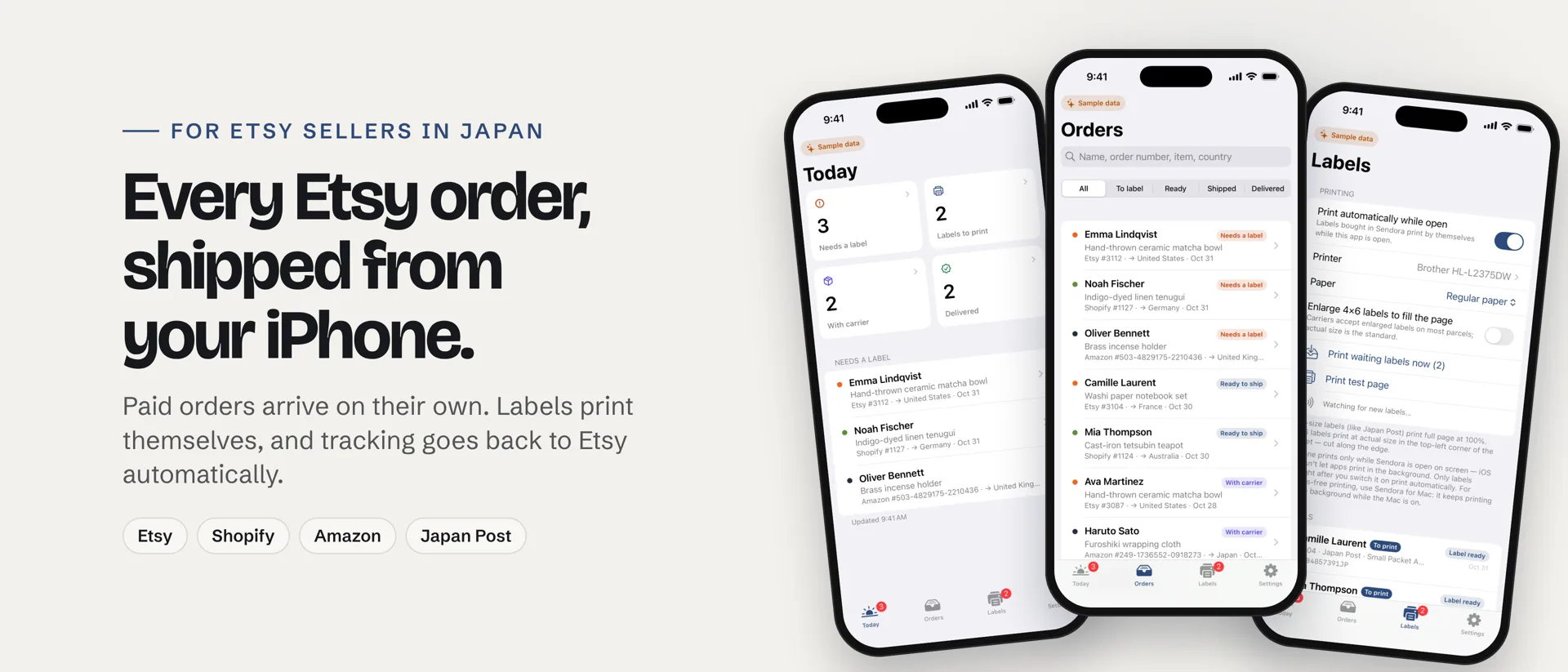
Every order, one tap away
The apps are companions to your Sendora account at sendora.jp. Connect your stores there once — your iPhone and Mac show the same orders, labels and tracking in real time.
Selling on Etsy from Japan? See Sendora for Etsy sellers on the App Store →
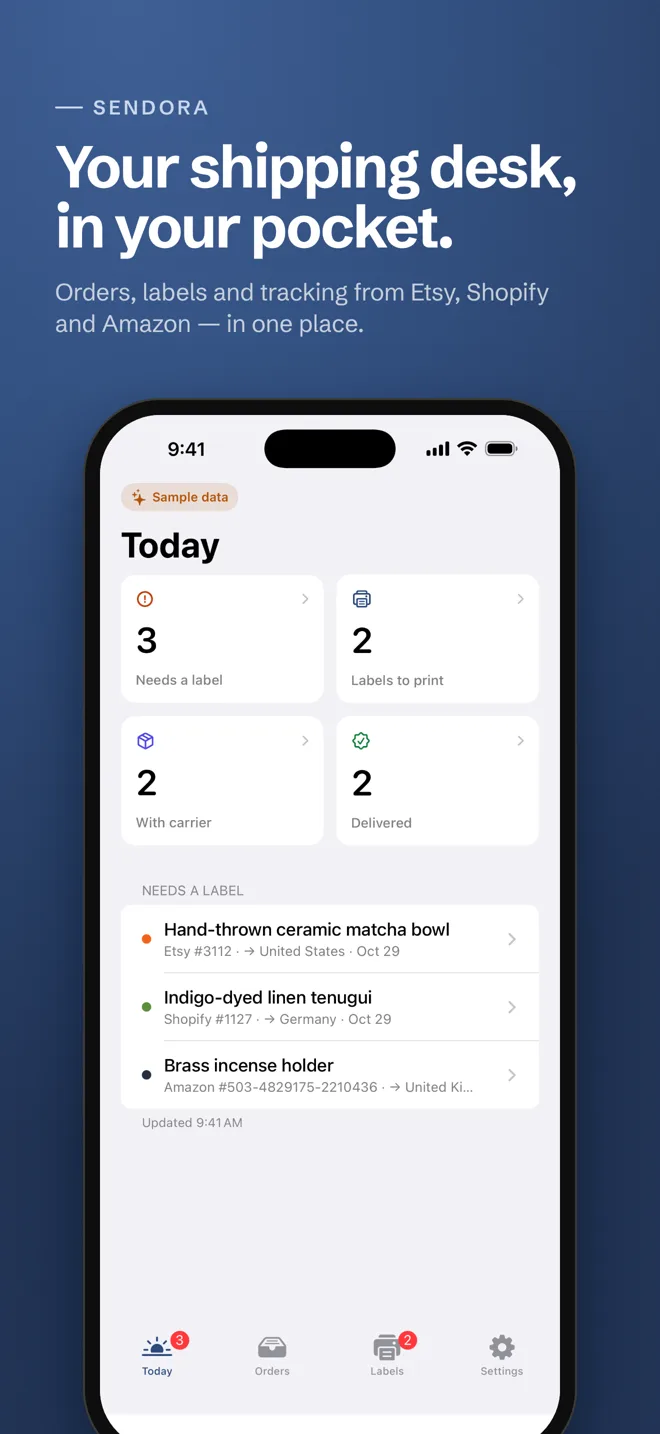
What you can do
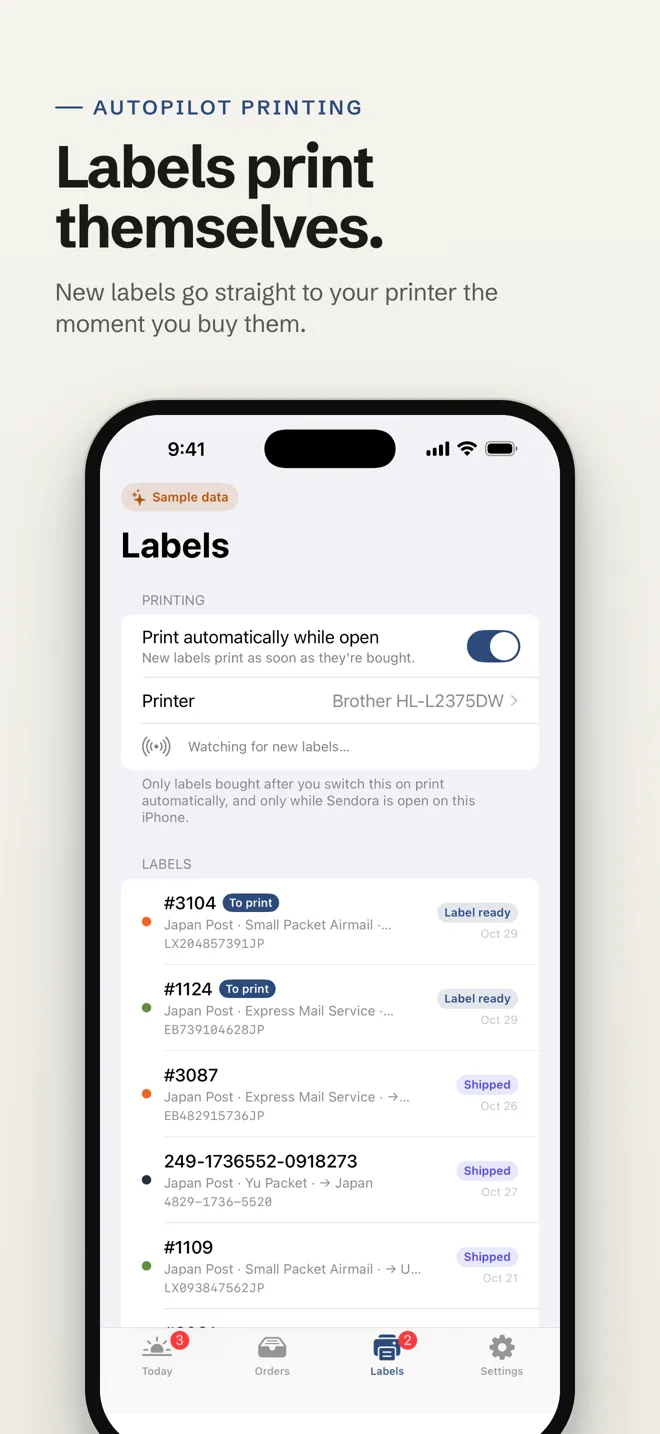
Autopilot printing
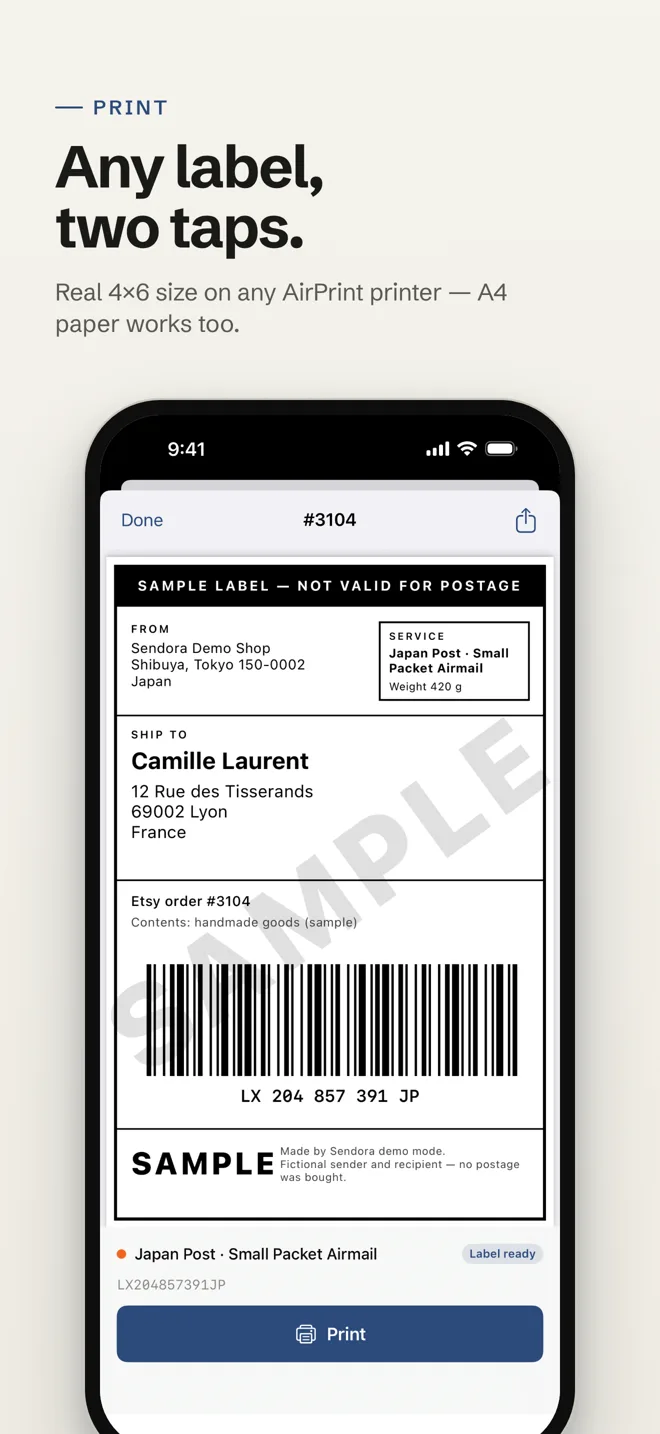
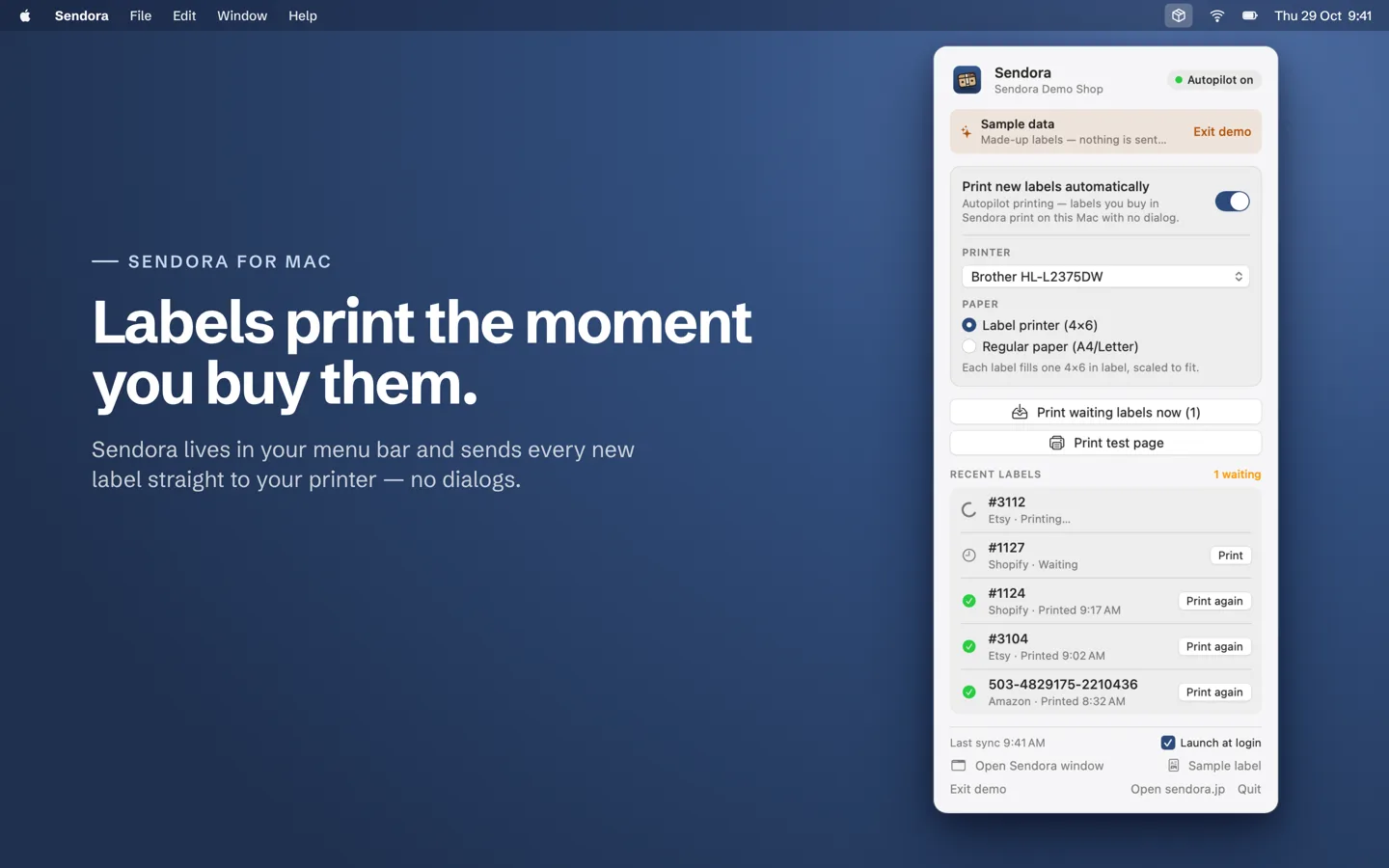
Every label you buy in Sendora prints on your printer by itself — A4 home printers or 4×6 label printers, no dialogs.
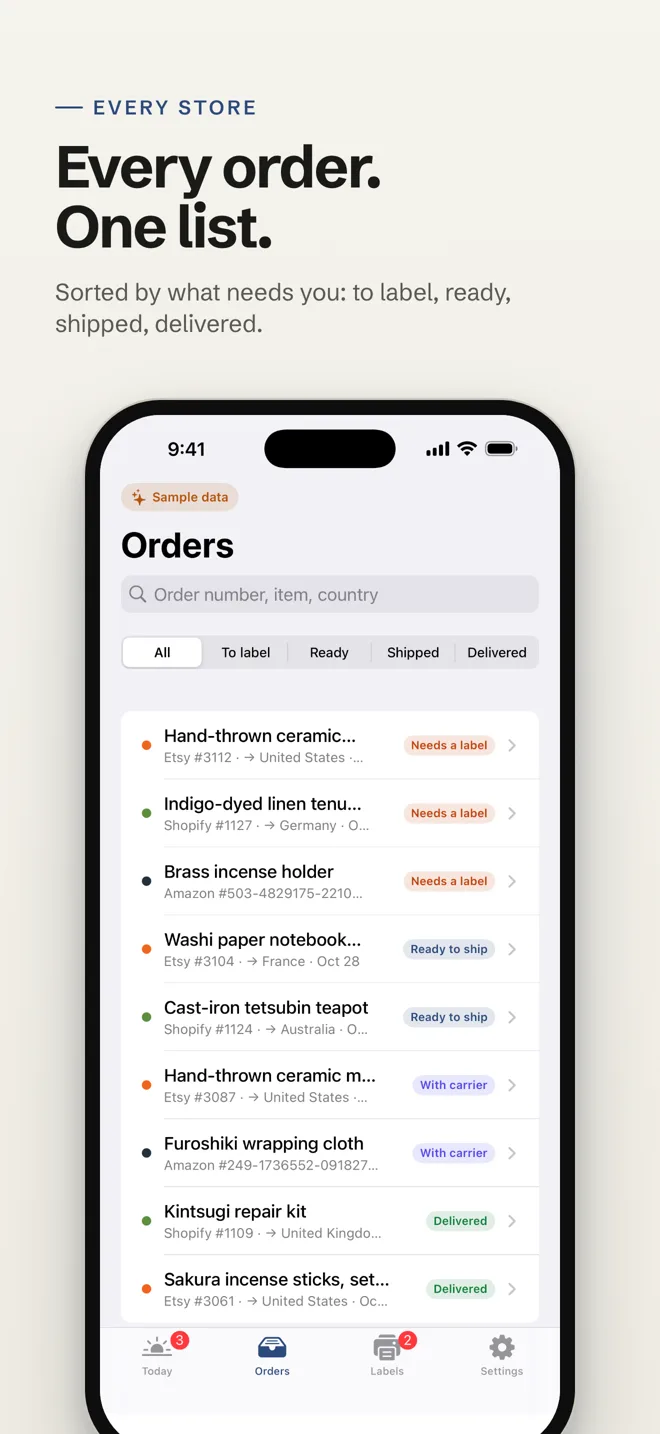
All your stores
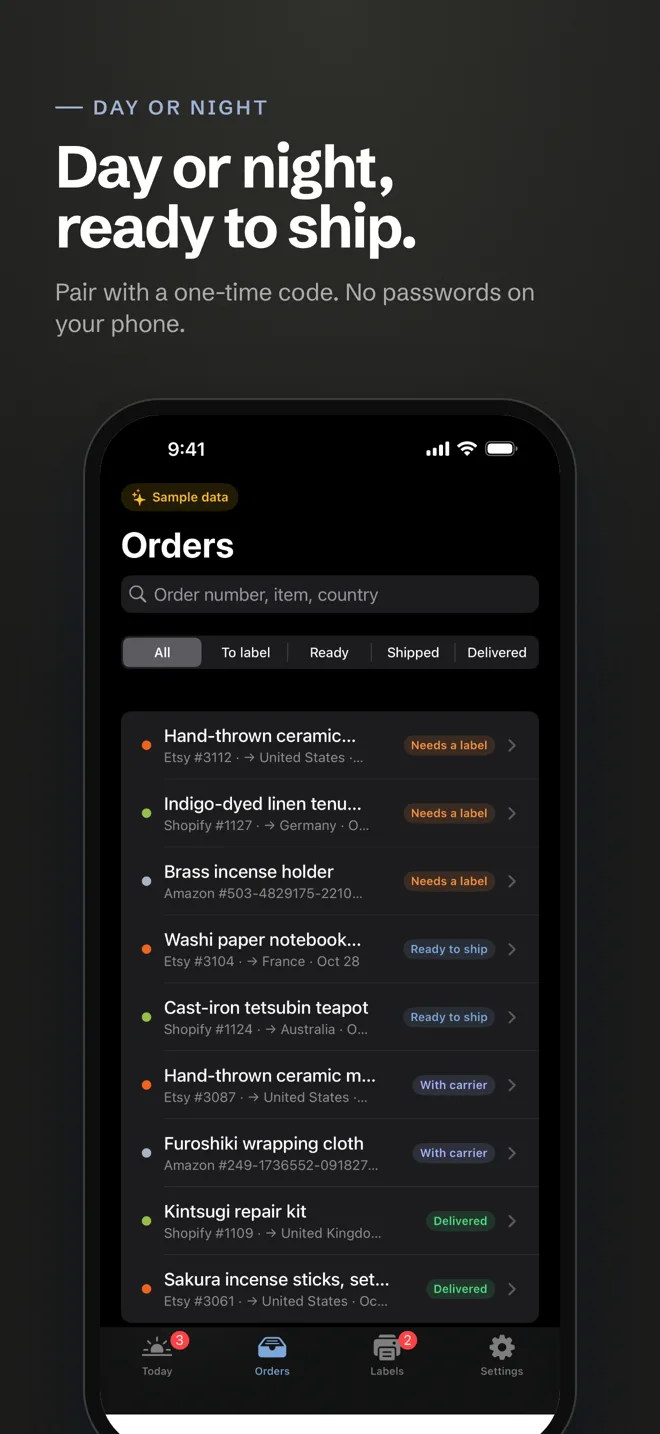
Paid orders from Etsy, Shopify and Amazon side by side, with customer names, destinations and status.
Scan to add tracking
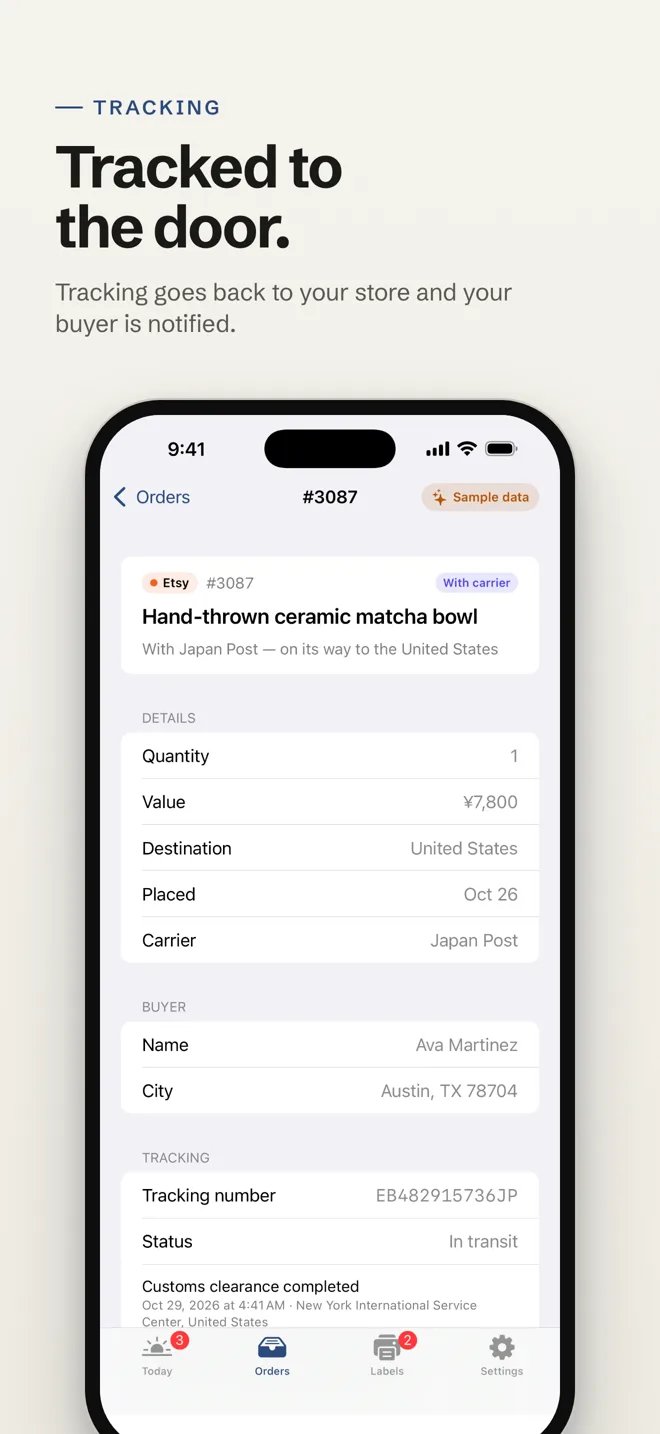
Shipped at the post office counter? Scan the receipt barcode and Sendora sends the tracking number to the store.
New-order alerts
Know the moment an order arrives, wherever you are.
What you paid
Postage, duties and fees per order, estimated and verified from the receipt.
Private by design
No ads, no trackers. Your Mac or iPhone connects with a one-time code and can be disconnected any time.
Sendora for Mac — your hands-free printer
The Mac app lives in your menu bar and Dock. Leave it running and every new label prints by itself, even when the window is closed.
See everything Sendora for Mac does →
Get started in a minute
- Create a free Sendora account at sendora.jp and connect your Etsy, Shopify or Amazon store.
- Install Sendora from the App Store on your iPhone, and from the Mac App Store on your Mac.
- On sendora.jp open Settings → Apps & printing → Connect a device, and enter the one-time code in the app.
- Pick your printer and paper. Labels now print by themselves.
Questions
- Is the app free?
- Yes. The apps are free; they work with any Sendora plan, including the free plan.
- Do I need a Sendora account?
- Yes — the apps connect to your account at sendora.jp, where you link your stores and carriers.
- Which printers work?
- Any AirPrint printer on iPhone, and any printer your Mac can use: regular A4/Letter printers (the label prints at real size, ready to cut) or 4×6 thermal label printers.
- Does the iPhone print in the background?
- iOS only lets apps print while they're open. For fully hands-free printing, use Sendora for Mac, which prints even with its window closed.
Ship from your pocket.
Free on the App Store for iPhone.